CHANGELOG

What’s new in iSurge

Every update, what changed and what it looks like. Updates are free and arrive by themselves.

NotchMenu barSoundAppsWindowAlertsPrivacyFree
0.1
First release4 October 202610 changes Download 0.1

iSurge’s first release: your Mac’s CPU, memory, battery, sound and the apps using the most, live at your notch and in the menu bar.

NotchNew

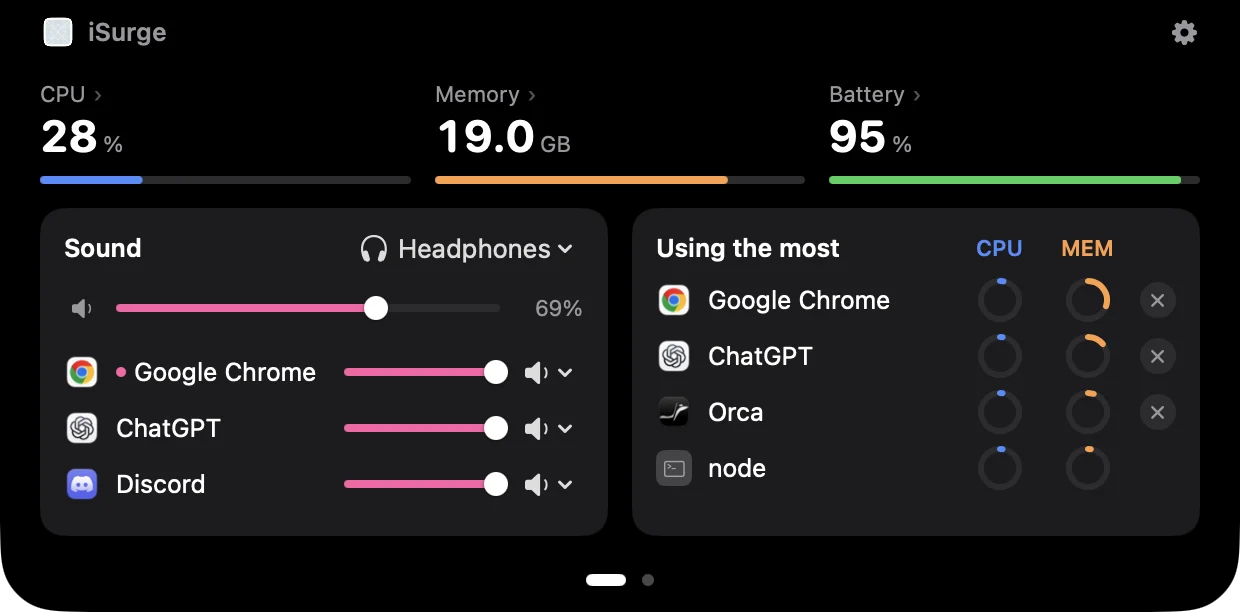
Your Mac’s pulse, at the notch

Two live stats sit beside the notch. Rest your pointer on it to open CPU, memory, battery, sound and the apps using the most. Swipe for GPU, disk, download, temperature and your devices.

NotchNew

Now playing, beside the notch

When an app makes sound, its icon and live level bars appear next to the notch. Several apps take turns; a call stays lit through its quiet moments.

Menu barNew

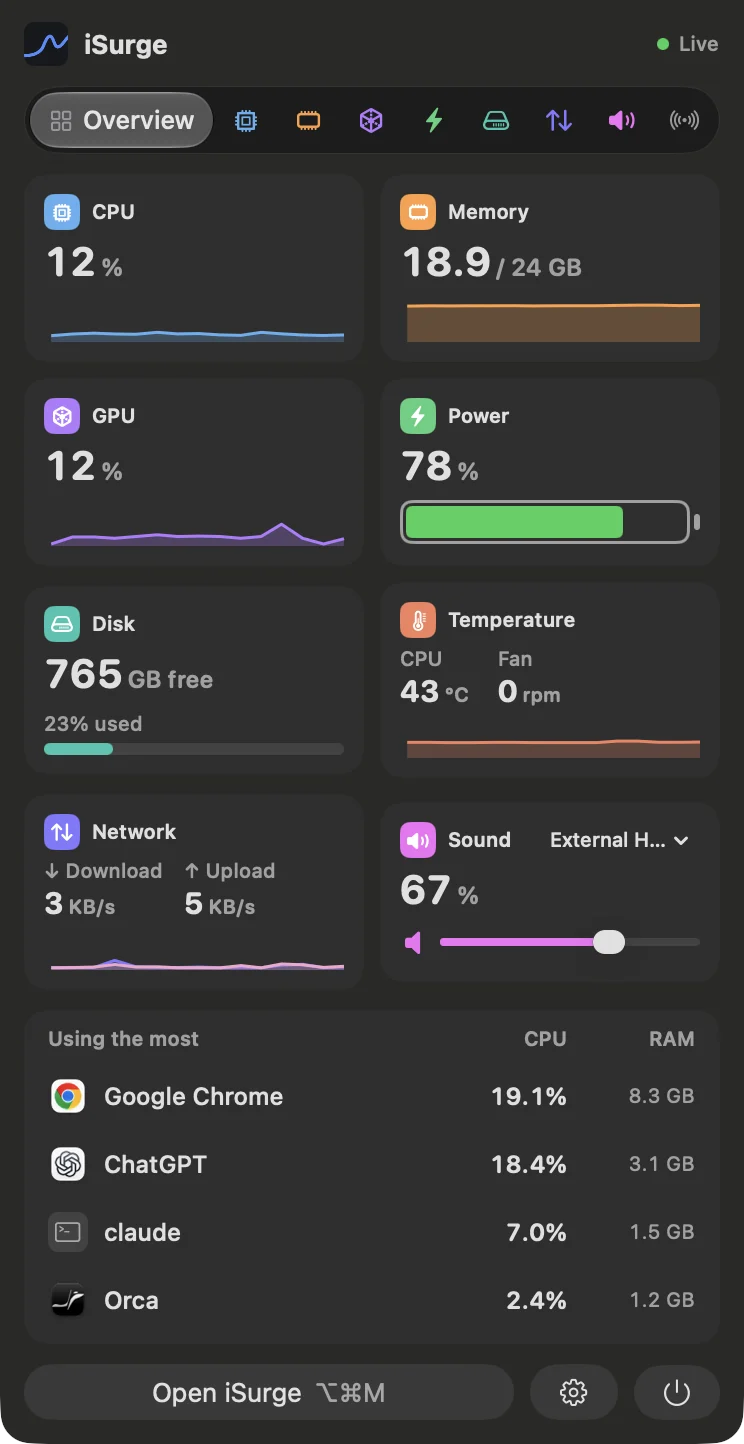
The whole Mac in one dropdown

Cards for CPU, memory, GPU, power, disk, temperature, network and sound, a tab for each, and the apps using the most with a one-click quit.

Menu barNew

Your menu bar, your way

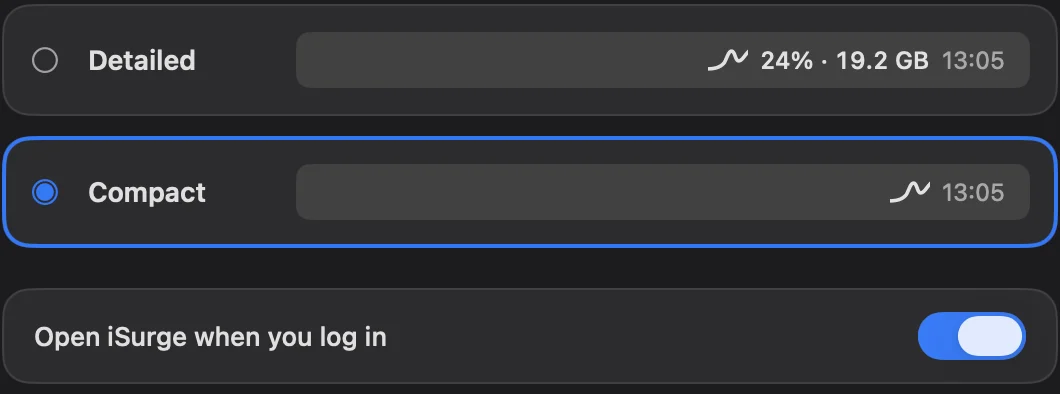
Detailed or compact, a separate item for each stat, and a Sound item that’s always one click away.

SoundNew

Every app, its own volume

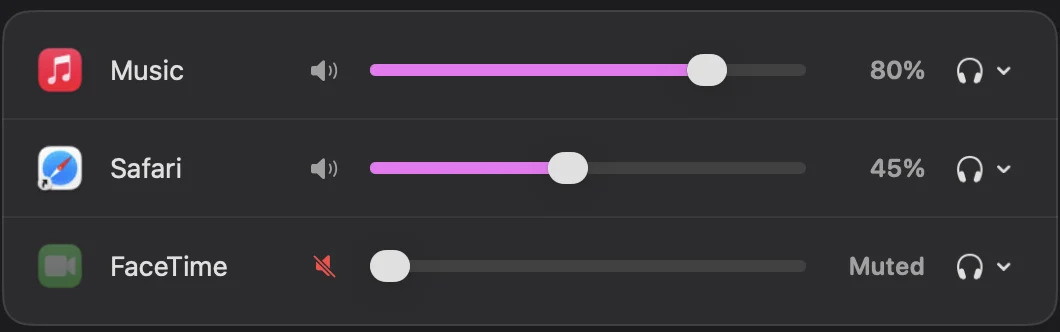
Set each app’s volume, mute it, or send it to its own speakers or headphones. Sound passes through and is never recorded.

AppsNew

A thousand processes, a few apps

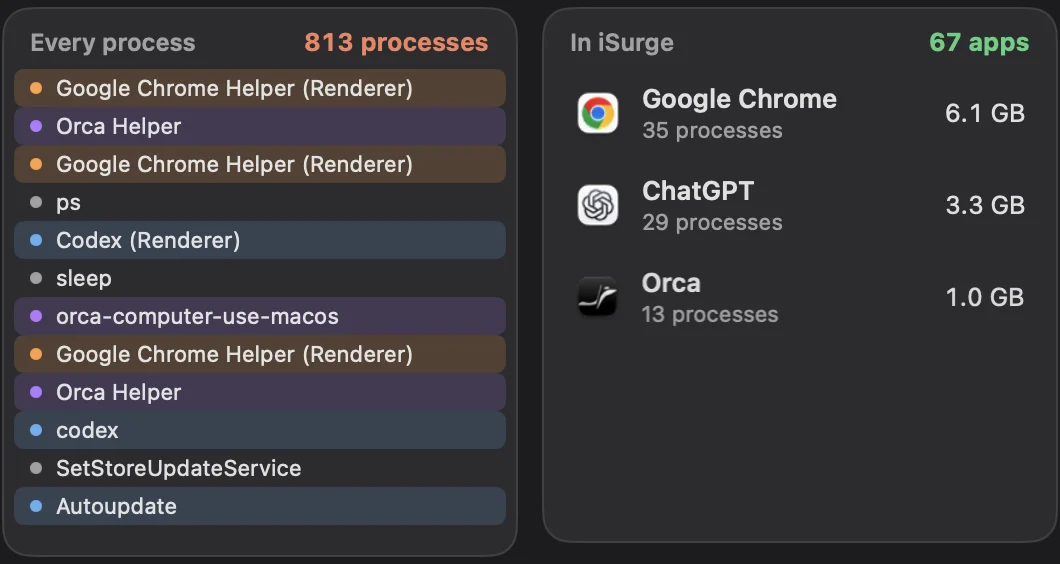
Helpers are added up into the app they belong to, so you see Google Chrome, not 35 Chrome Helpers.

WindowNew

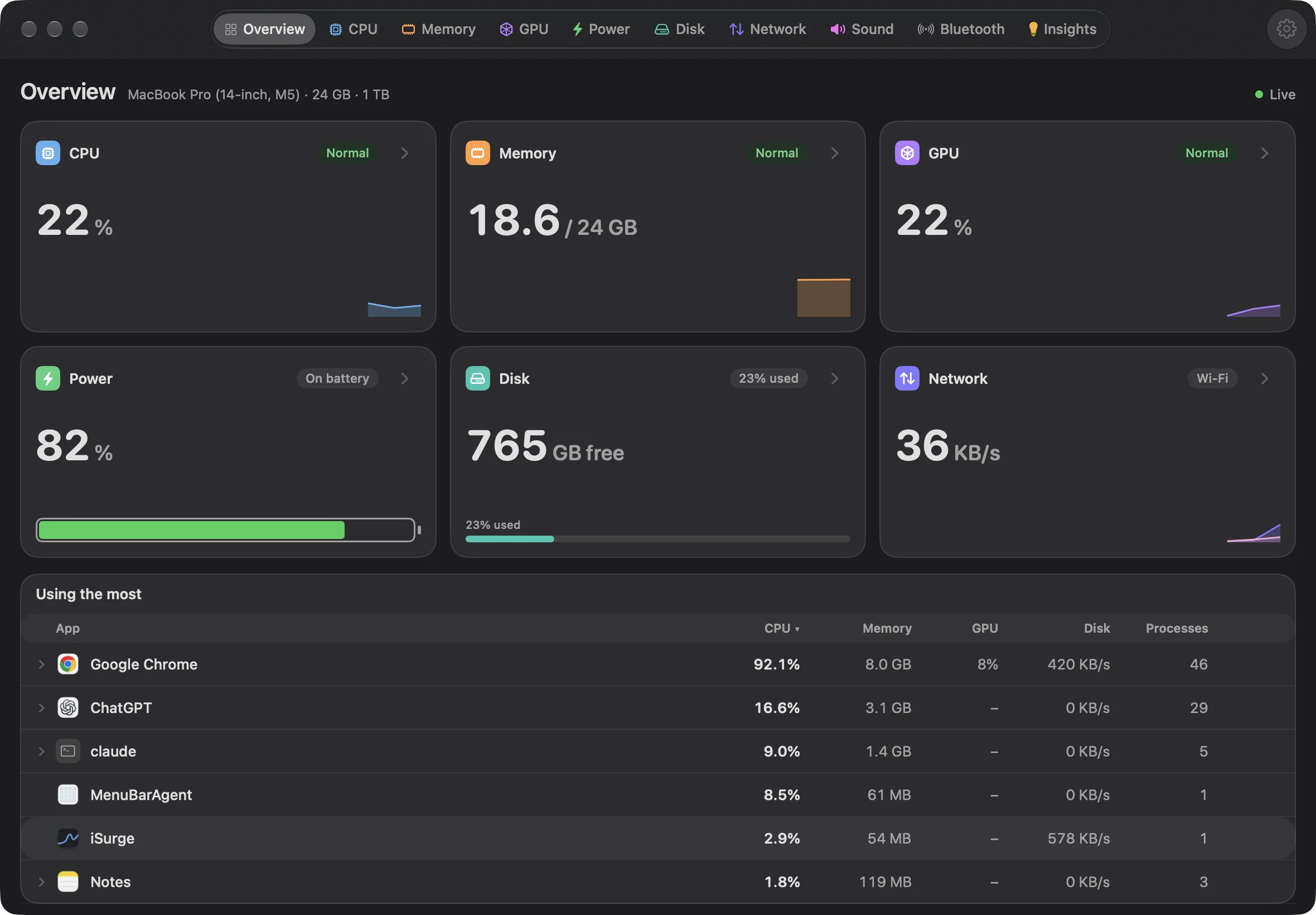
A page for everything

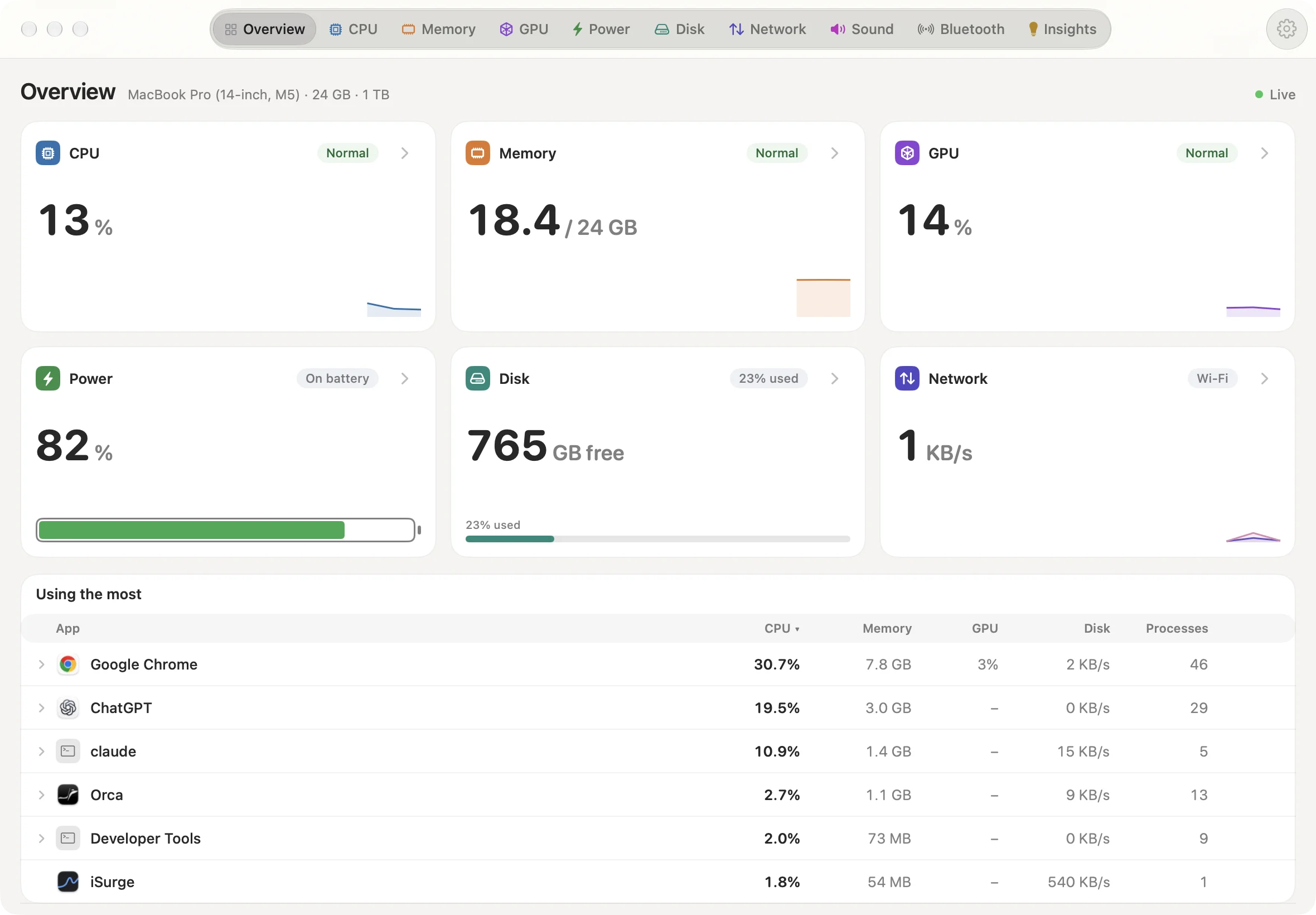
CPU, memory, GPU, power, disk, network, sound and Bluetooth each get a page, plus Insights from the last 30 days.

AlertsNew

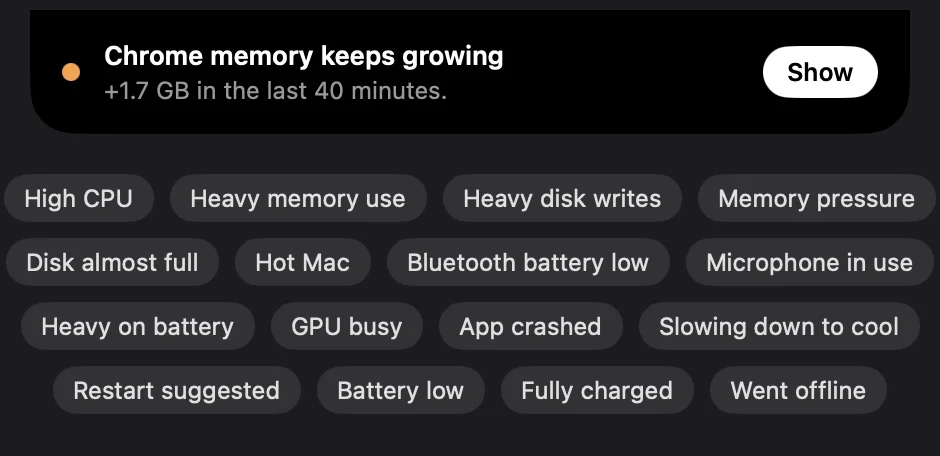
A heads-up when something needs you

A runaway app, memory that keeps growing, a disk almost full, a hot Mac or low AirPods, shown at the notch.

PrivacyNew

Private by design

No account and no analytics; nothing leaves your Mac. The only connection iSurge makes is checking for updates.

☕
FreeNew

Free, with free updates

No trial, no ads, no subscription. If iSurge helps you, you can buy me a coffee.

CHANGELOG

What’s new in iSurge

Every update, what changed and what it looks like. Updates are free and arrive by themselves.

NotchMenu barSoundAppsWindowAlertsPrivacyFree
0.1
First release4 October 202610 changes Download 0.1

iSurge’s first release: your Mac’s CPU, memory, battery, sound and the apps using the most, live at your notch and in the menu bar.
NotchNew

Your Mac’s pulse, at the notch

Two live stats sit beside the notch. Rest your pointer on it to open CPU, memory, battery, sound and the apps using the most. Swipe for GPU, disk, download, temperature and your devices.

NotchNew

Now playing, beside the notch

When an app makes sound, its icon and live level bars appear next to the notch. Several apps take turns; a call stays lit through its quiet moments.

Menu barNew

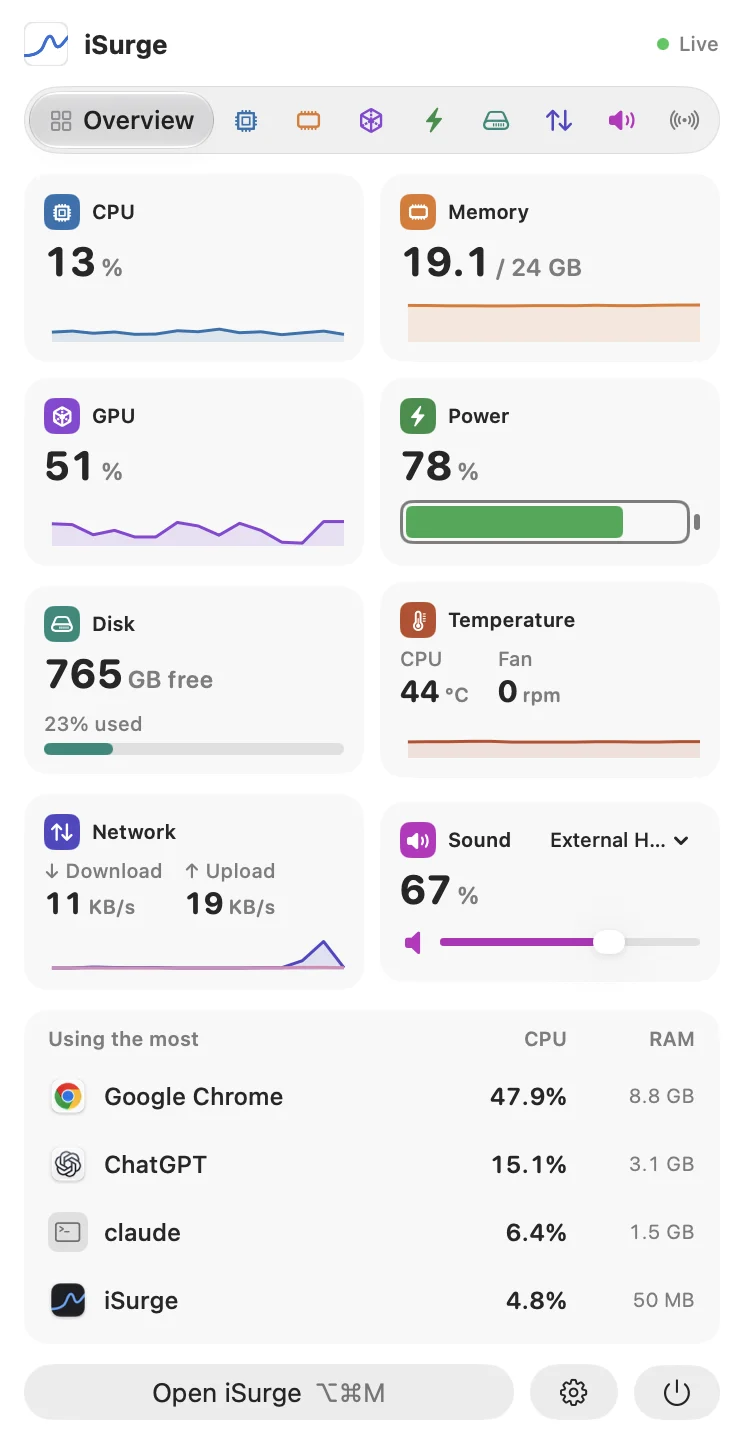
The whole Mac in one dropdown

Cards for CPU, memory, GPU, power, disk, temperature, network and sound, a tab for each, and the apps using the most with a one-click quit.

Menu barNew

Your menu bar, your way

Detailed or compact, a separate item for each stat, and a Sound item that’s always one click away.

SoundNew

Every app, its own volume

Set each app’s volume, mute it, or send it to its own speakers or headphones. Sound passes through and is never recorded.

AppsNew

A thousand processes, a few apps

Helpers are added up into the app they belong to, so you see Google Chrome, not 35 Chrome Helpers.

WindowNew

A page for everything

CPU, memory, GPU, power, disk, network, sound and Bluetooth each get a page, plus Insights from the last 30 days.

AlertsNew

A heads-up when something needs you

A runaway app, memory that keeps growing, a disk almost full, a hot Mac or low AirPods, shown at the notch.

PrivacyNew

Private by design

No account and no analytics; nothing leaves your Mac. The only connection iSurge makes is checking for updates.

☕
FreeNew

Free, with free updates

No trial, no ads, no subscription. If iSurge helps you, you can buy me a coffee.